How to Generate Pixel Art Sprites with DALL·E 3: Prompts That Work
Pixel art trips up most AI tools. Here is the exact prompt formula for clean, game-ready sprites — with a real example and a free generator to try it.
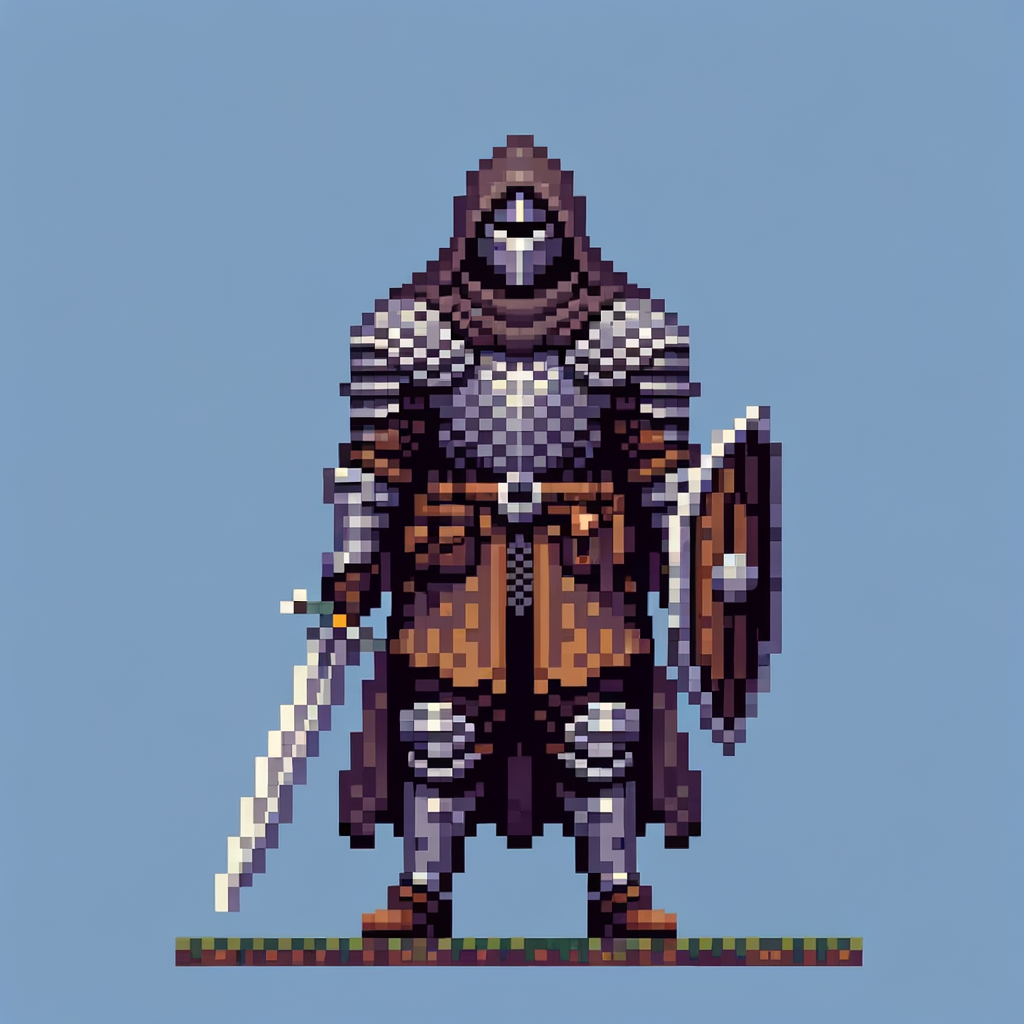
Pixel art is deceptively hard for AI. Ask for "pixel art warrior" and you get a painting of pixel art — soft, blurry, off-grid. The fix is constraints. Here is a sprite made in Imagify, and the exact prompt shape that produces clean, game-ready results.
The five things every good sprite prompt needs
- Bit-depth style — "16-bit pixel art"
- Subject + view — "warrior character, front view"
- Grid constraint — "strict pixel grid, no anti-aliasing" (this is the one people miss)
- Palette limit — "limited 16-color palette"
- Background — "plain solid background" (or transparent, see below)
The warrior above came from this prompt: 16-bit pixel art warrior character sprite, front view, full body, fantasy knight in plate armor with sword and shield, strict pixel grid, no anti-aliasing, plain background.
Try it yourself
The mistake that ruins most sprites
Leaving out "strict pixel grid, no anti-aliasing." Without it the model blends pixels and you get a smudge at sprite scale. Add those five words and the same idea snaps to a clean grid.
Where AI pixel art still struggles
- True transparency is inconsistent — generate on a plain background and key it out.
- Character consistency across a sheet is hard — see consistent character style sheets.
- Exact dimensions are not guaranteed — downscale to your target grid.